
Projects & Folders
A project is a folder. You already know how folders work.
There’s no distinction between “project,” “epic,” “initiative,” or “workspace.” If you need a container for work, create a folder. If that folder needs sub-containers, nest folders inside it. The hierarchy is yours to define, and it can be as flat or as deep as your team needs.
Tickets tab
Section titled “Tickets tab”Every project has a list of its tickets with their current status, workflow step, and completion ETA from the scheduler. Filter, sort, and search within the project scope. This is where you go to see everything that lives inside a project, what’s done, what’s in progress, and what’s coming.
Readme
Section titled “Readme”Each project includes a collaborative rich-text document. Use it to describe the project’s goals, technical context, onboarding notes, or anything your team needs to know before picking up work. The readme uses the same real-time collaborative editor as ticket descriptions, multiple people can edit simultaneously without conflicts.
Analytics tab
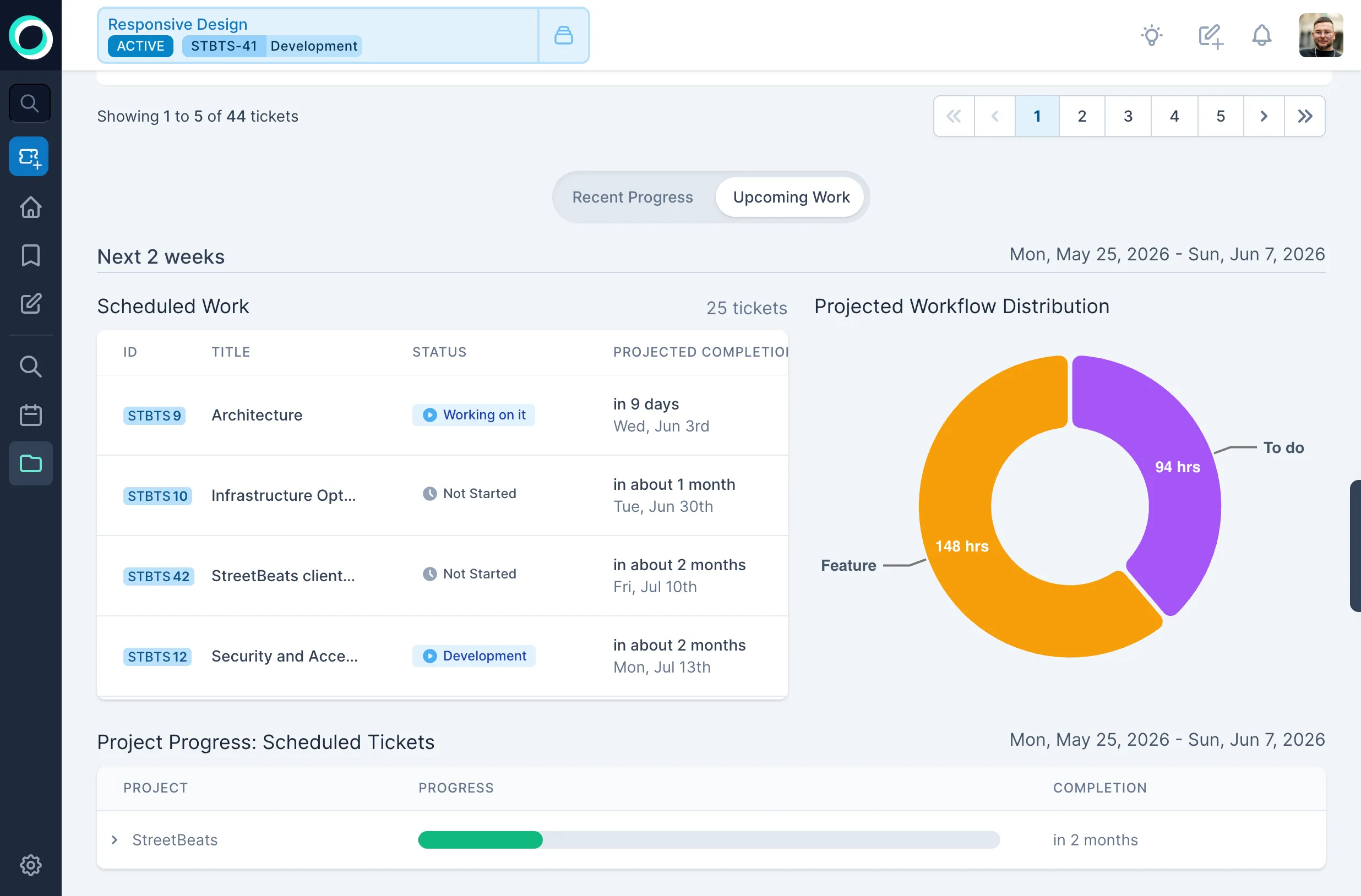
Section titled “Analytics tab”A quick health check for the project. Ticket counts broken down by status, a view of upcoming scheduled work, and workflow distribution across the project. No configuration, no custom dashboards to build, just the numbers that matter, always up to date.
Dependencies tab
Section titled “Dependencies tab”A visual graph of dependencies between tickets in the project. See which tickets are blocking others and where the critical path runs. Dependencies are a first-class concept in Orcha because the scheduler needs them to produce accurate dates, if ticket B can’t start until ticket A is done, the schedule reflects that automatically.
Nesting
Section titled “Nesting”Drag a project into another project to nest it. The parent project’s analytics roll up child project data. Keep your structure as simple or as detailed as the work demands.